

.png)
What is Data Tidy?
When adding resources or borrowers into Eclipse.net, especially if more than one Librarian has been responsible, there may exist differences in the way in which some words have been entered into each field. Rather than finding and editing each individual record, the user may use Data Tidy to apply settings of choice to both previously entered records and any that are entered in the future.
How do I apply the settings for Data Tidy?
Firstly, the user must ensure that the appropriate table is on-screen. For example, if changes to resources are required the Resources table should be opened.
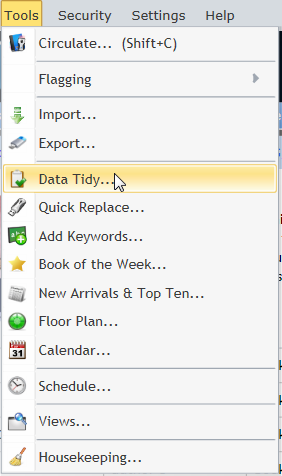
Once the appropriate table has been opened, click on Tools / Data Tidy from the top horizontal menu bar.
Click inside the Field combo box to select the field to be 'tidied'. Select the Data Tidy options required and repeat this for each field to be 'tidied'.
.png)
.png)
Click OK when finished.
(Any future records which are added to the database will have the Data Tidy settings applied to them when the Save option is clicked.)
Copyright © 2013 MLS