

.png)
It is possible for the Librarian to change the default Language used in the system.
From the menu bar at the top of the screen, click the Settings / Languages.
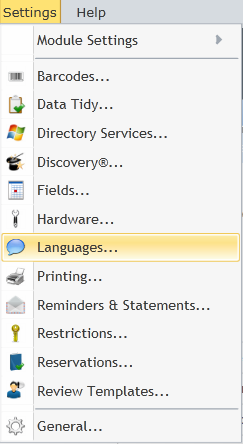
The Languages screen will then appear. Select any available language other than the English default from the list if required.
.png)
Click the Modify button to open a new window that allows the user makes changes to the form and control names.
In the following example the word 'Blurb' will be used in any given resource record card rather than 'Summary', the default for the English language setting.
(1).png)
Click Save when desired changes are completed and return to the previous window.
Copyright © 2013 MLS