

.png)
Borrowers may write reviews of the resources they take out on loan using the Silverlight homepage. The Librarian may create a structured way for the borrowers to write their reviews using specific questions to answer.
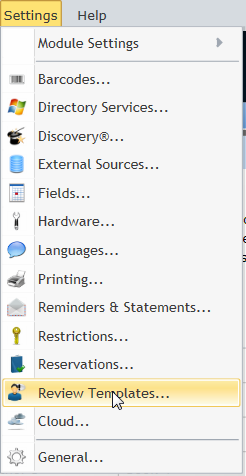
Click Settings / Review Templates from the top horizontal menubar in Management.
Type the questions for the borrowers to answer in the large white space, ensuring these are written for both Fiction and Non Fiction items (if needed).
(1).png)
Tick the checkbox to prevent the use of star ratings in Management if required.
.png)
Click OK to commit any changes and return to the previous screen.
.png)
Copyright © 2013 MLS